KathyR
posted Aug 15 '17 at 6:43 pm
Would someone be so kind as to point me in the direction of a spiral that resembles a nautilus shell. Most spirals I've come across are large and run off the page while I am looking for a more self-contained, succinct design. There are many fine examples of Nautilus spirals on DA but they are made with Apophysis or some other fractal program. As for UF I have no idea which formulas to use. Th
KathyR
posted Aug 17 '17 at 2:50 am
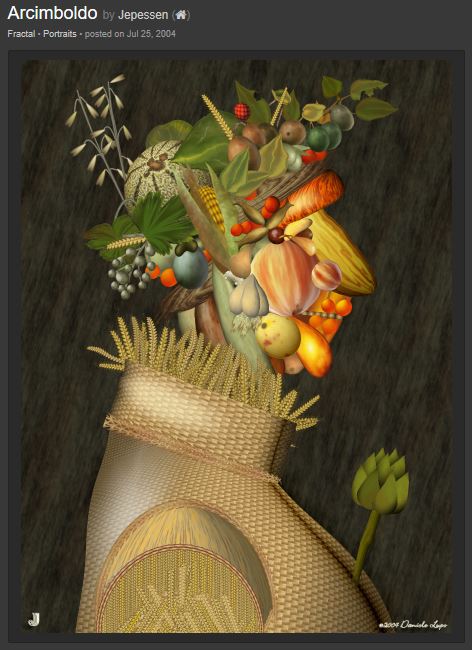
I hope it is ok to post other artist's fractal work here. I found this on Renderosity, and Wow, what a masterpiece! It caught my attention even though it is from several years ago, created with an older version of UF. It was made by Daniele Lupo, one of the UF formula writers. He even posted the parameters in his formula file, among others. I attempted to upload it but not all of the pieces
Anne
posted Aug 12 '17 at 11:44 am
Hi I am new to the forum & new to Ultra Fractal. I havn't done fractals for a few years & originally used Apophysis but I am loving learning what UF can do.
I have a quick question. I know this can be done for Apophysis though must admit have forgotten how to do it but can gradients be created from outside of UF & used within UF. If so is there a tutorial?
Many thanks Anne
iPat
posted May 25 '17 at 11:07 am
Hello, Fractalers,
I just found out about a YouTube video showing a massive zoom, and I would like to share the URL with you. The video is 9 minutes long. Here it is:
https://www.youtube.com/watch?v=zXTpASSd9xE&feature=youtu.be
Enjoy!
Pat
KathyR
posted Aug 1 '17 at 1:54 am
Hello All,
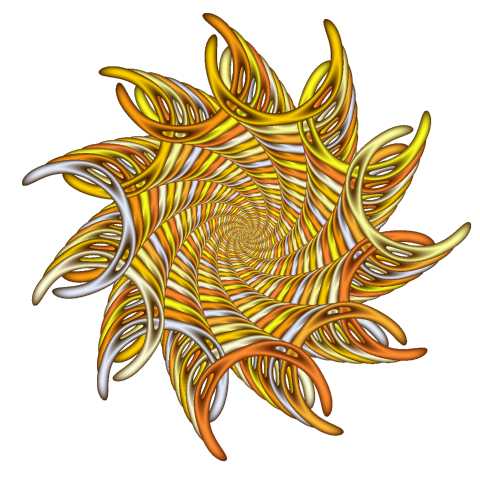
I'm new to the forum and I have been studying Ultra Fractal for several months now, there sure is a lot to learn. I've been loving every minute of it and I have many questions. For starters, I somehow came across a lot of beautiful gradients in the KCC folder. I don't see much discussion about them anywhere and I'm sure there are other pre-loaded gradients accessible in UF. Why
NormS
posted Mar 4 '17 at 12:59 am
My fractal art differs from the typical ones created by UF as being less "complicated". That they are more simplistic is primarily due to lacking advanced mathematical skills. Most begin with a posted formula that I randomly and almost haphazardly revise without awareness of what the results will be. Examples are posted at www.nsapc.com/fractal. I would like to hear from others who use a similar
New chatroom for UF users. For sharing ideas, params or just hang out.
http://chat.deviantart.com/chat/UFUsers
I had UF 2.04 and bought Ultra Fractal 5 Extended Edition upgrade. The computer I originally had UF 2.04 on crashed, and I don't have the license for it any longer. It was so long ago, I no longer have the email I received because I switched internet providers. I sent an email to info@ultrafractal.com, and have not received a response back. There was information in the email with the licsense rec
hal9000
posted May 2 '17 at 5:09 pm
Hallo, ich bin ganz neu hier und teste noch die Demo Version. Möchte UF aber wohl gerne kaufen denke ich. Was mich als erstes Interessiert. Sind die Standart Fraktals die ich im Programm mitgekauft habe frei? Sprich, darf ich daraus meine eigenen machen und die für Videos und Cover nutzen? UND wer könnte mir evtl. über einen Chat etwas helfen bei meinen ersten Versuchen.
Vi
There must be a short cut key commands to pan through
the layers (Merge Mode pull down menu).
I've looked through the different Ultra Fractal menu help items
and have not been able to find this feature
This command is Definitely on a Microsoft computer
running Ultra Fractal.
Hey guys, I hope that you're doing well! I've been dabbling in animation recently, and unfortunately, I can't figure out how to preserve the transparency in my export. Any tips? Or am I stuck exporting them frame by frame?
I'd guess this is a slightly technical question. I have an Amazon Web Services account, and was exploring the possiblity of setting up a cloud server to render ultrafractal compositions on - I've just lost the powerful work machine I used to use (with permission) and am looking at alternative solutions.
Has anyone ever done this? Is it even possible? I'm guessing I would have to use a Wind
John617
posted Jan 25 '17 at 8:34 pm
I am new to Ultra Fractal and I was wondering. Is there a way to render fractals that do not take long periods of time. I'm wondering if I am doing something wrong. Sometimes rendering a 20 second animated fractal can take me hours.
Anyone have any thoughts or pointers on this subject.
Thanks, John
The Ultra Fractal 5 manual mentions Zoom In and Zoom Out buttons (see p. 26). Where are these?
In some tutorials I'm asked for a (lkm folder) in Ultra Fractal 5 for mac.
Ii've search through the Ultra Fractal 5 file structure and have not found
this folder designation.
I'm not that familiar with UF 5 for mac or windows versions and I'm foundering if the pre-gradients package that come with mac versions is limited.
Are there is any download packages for pre designed gradient for
I am completely new to Ultra Fractal and would like to create images that can be saved in 16 bit RAW file format. While Ultra Fractal does not do this natively, it appears Ultra Fractal is only using 8 bits per color channel.
Is this correct? Is there a way to use 16 bit color channels? I am actually looking to use the images for heightmaps, but would like 16 bits in a single color channel.
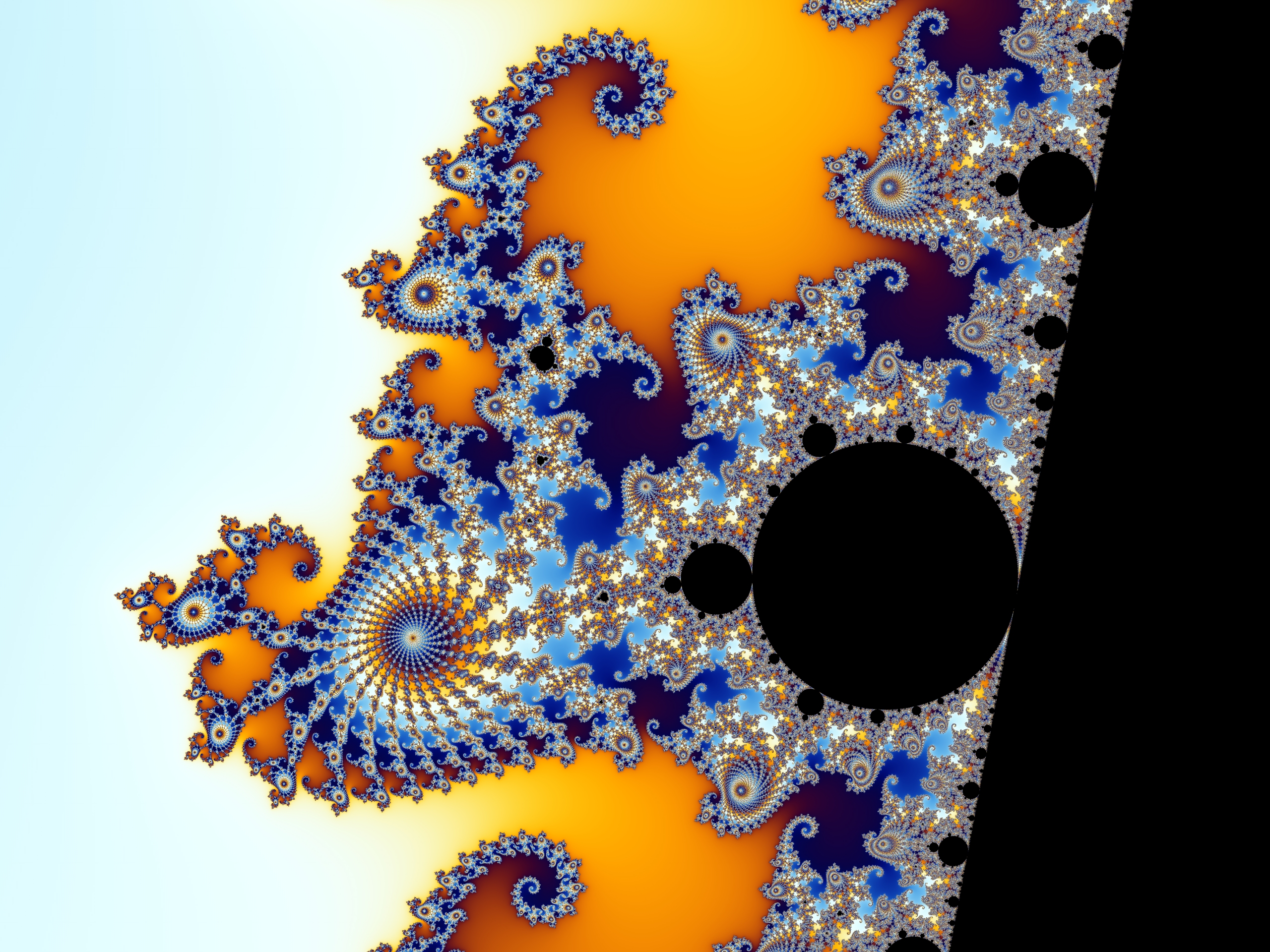
Is it possible to get the same (or similar) quality as for example this picture from Wikipedia
in preview? Because in preview I can only see black parts clearly and anything other is very noisy at similar zoom as this picture no matter what max iterations I have. When I render the fractal I can see the more similar quality as in image above.
Is it possible to get better preview quality
schaer
posted Dec 4 '16 at 8:26 pm
I am trying to load a .upr I generated in Apophysis 2.09 into Ultrafractal but it generates a bunch of errors and doesn't render correctly.
All the error messages have in common "could not locate parameter xf1_par* in enr-flame-a
If there is a way to capture all the error messages to a file, I will be glad to upload it if that helps.
I have tried loading this same file into versions 2
Cliff
posted Dec 7 '16 at 11:36 pm
I've uploaded a seasonal image to the DA gallery. It can be seen here:
http://clifftoppler.deviantart.com/art/Christmas-Greetings-2016-649441006
and there are umpteen others to see if you've a few minutes to spare as you do the buying and posting which gives life to the festivities. May the hangovers be gentle.
Cliff.
Ottomagus suggested some additional functions to add to my extended function set that is used by Smooth Alterations, Ducks Switch and Lucy Goosey Switch. The coloring formula Smooth Alterations is the simplest test bed so I started there. After testing and debugging I have uploaded the latest version of Smooth Alterations to the database. Lucy Goosey will be next. Here is a quick example with th