I've noticed something recently that has caused me some unwelcome extra work, although now that I've pinned it down I can take care to avoid it. I thought I would just mention the issue here in case it's something that needs attention.
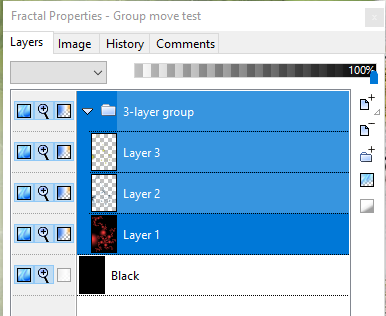
The issue concerns the dragging of a Group to a new fractal window. It occurs in both UF5 and UF6 and can be 100% reproduced by doing the following:
Start
JVYV
posted Jan 30 '19 at 2:03 pm
Hi All,
The January 2019 collection of the parameter files (a very beautiful one) is sent to the cloud..
You can find them at the cloud of Microsoft:
https://onedrive.live.com/redir?resid=2AB35EAF574CA6CE!1034&authkey=!ALIZio6ZmgV1aAo&ithint=folder%2ctxt
Greetings from Belgium,
Jan Vyvey
jabeck
posted Jan 9 '19 at 10:50 pm
I've got a series of Julia seed values that I've carefully keyframed, and now I want these keyframes to repeat because the first/last keyframes are the same and it will loop. I'm trying to find an easy way to copy this set of keyframes and paste over and over adding more keyframes... Can someone help? Thanks! I tried doing it in the timeline editor but couldn't get it to work...
In one of my formulas there is a parameter that is required to be non-negative. If I put in a negative value, a sound plays and the parameter is not changed. Perhaps a message flashes on the bottom line of the window, but if it does, it's too fast to read.
This can be confusing to the user. A message like "Parameter out of bounds" would help if it stayed up a few seconds.
jucarbi
posted Dec 31 '18 at 2:16 am
Hi, I have a working copy of UF6.1 but I can't find my serial. Can I update to 6.2 without it? If so how? The Upgrade edition on 6.1 is greyed out. I am hesitant to install 6.2 for fear I will lose the 6.1
Cheers and HNY Jay
DoctorT
posted Jan 2 '19 at 10:26 am
Hi!
More about plugins …
I’ve been doing some readings about plugins and this is my interpretation of what I’ve read.
In the computer world, a plugin is a program that adds functionality to a larger program. In the context of UF, plugins add functionality to UF but are customized for particular formulas, algorithms, or transformations.
Thus, it follows that one
DoctorT
posted Jan 1 '19 at 1:22 pm
Hi!
To create a fractal image one could understand the relevant math (i.e., Fractal Geometry) and the functionality of the software that generates the image. The relevant math is beyond the grasp of most artists and the functionality of complex software such as Ultra Fractal is, at least initially, also beyond the grasp of most artists.
As an alternative, one could ignore the math and id
DoctorT
posted Dec 30 '18 at 2:18 pm
Hi!
I understand, maybe incorrectly, that a fractal image is (1) a set of numbers, generated by a formula, and displayed as POINTS, and (2) rules for coloring the POINTS.
In UF, is there a way for replacing the POINTS with SHAPES (e.g., a triangle)?
If so, how do I do it?
Thank you!
Dr. T
DoctorT
posted Dec 30 '18 at 5:40 am
Hi!
I want to create a JPG file for printing on canvas. The canvas size is 16 inches (W) by 12 inches (H). At 600 PPI, the JPG file is 9.600 pixels (W) by 7.200 pixels (H).
To begin a fractal, what parameters should I use in the “Fractal Properties: Image”?
Or, does it matter? If UF files are scalable like SVG files, then only the width/height proportions matter.
Th
JVYV
posted Dec 30 '18 at 9:31 am
Hi All,
The December 2018 collection of the parameter files (4) is sent to the cloud..
You can find them at the cloud of Microsoft:
https://onedrive.live.com/redir?resid=2AB35EAF574CA6CE!1034&authkey=!ALIZio6ZmgV1aAo&ithint=folder%2ctxt
Greetings from Belgium,
Jan Vyvey
DoctorT
posted Dec 29 '18 at 10:28 am
Hi!
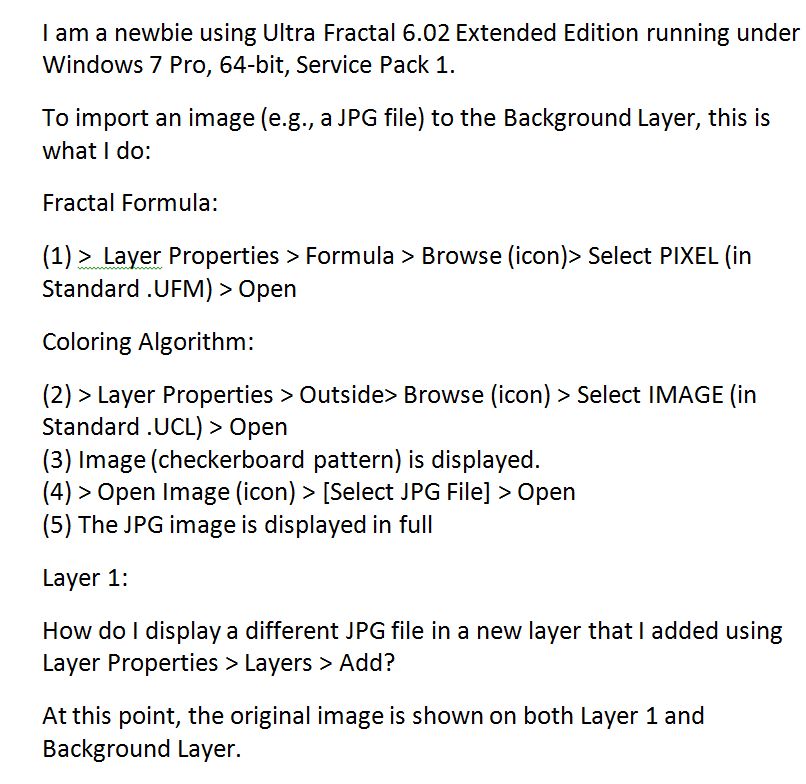
I am posting this query as an image to bypass the Spam Checker, which keeps rejecting it.
Thank you!
Dr. T
DoctorT
posted Dec 28 '18 at 9:26 am
Hi!
I am a newbie using Ultra Fractal 6.02 Extended Edition running under Windows 7 Pro, 64-bit, Service Pack 1.
Out of curiosity, how often do you use the Switch Mode?
I can see myself using the Select Mode often; not so the Switch Mode.
Thank you!
Dr. T
I'm very pleased to announce the release of Ultra Fractal 6.02. This is a free update for Ultra Fractal 6 featuring a fully customizable toolbar on Windows. Just right-click the toolbar to select which buttons to include and whether to use large or small icons. The update also contains various bug fixes and small improvements and is a recommended update for all Ultra Fractal 6 users.
Download
jam
posted Dec 21 '18 at 10:36 pm
I've added two new Barnsley variations to the jam3.ufm folder in the UF formula database, Sectoral Barnsley and Function Barnsley. I believe that they are debugged, but let me know if you encounter any problems. Thanks.
DoctorT
posted Dec 24 '18 at 9:45 am
Hi!
I am a newbie using Ultra Fractal 6.01 Extended Edition running under Windows 7 Pro, 64-bit, Service Pack 1.
As I stated in a prior post, before jumping into more advanced topics such as Layers and Transformations, I am in the process of developing a simple routine for creating new fractals. After choosing a fractal formula (I have already downloaded the Public Formulas), I am now re
DoctorT
posted Dec 23 '18 at 7:32 pm
Hi!
I am a newbie using Ultra Fractal 6.01 Extended Edition running under Windows 7 Pro, 64-bit, Service Pack 1.
In the Ultra Fractal manual, I have read the Quick Start and the Basic Skills tutorials. Before I jump into more advanced topics such as Layers and Transformations, I would like to develop a simple routine for creating new fractals. As I progress through the manual, I’l
jam
posted Dec 22 '18 at 6:31 pm
I have been unable to update my formula files in the public database. They updated fine yesterday, but on each of my three attampts today, after a long period of what appeared to be a formula upload, I received a "connection was reset by server" error. By browsing the collection, I was able to verify that my formula files indeed had not been successfully updated. Thanks for looking into this i
DoctorT
posted Dec 22 '18 at 4:26 pm
Hi!
I am a newbie using Ultra Fractal 6.01 Extended Edition running under Windows 7 Pro, 64-bit, Service Pack 1.
To learn Ultra Fractal, I am following the Tutorials. When applying color (Layer Properties > Outside > Browse), whatever I select will change the color parameters but not the pattern. Am I right?
Thank you!
Dr. T
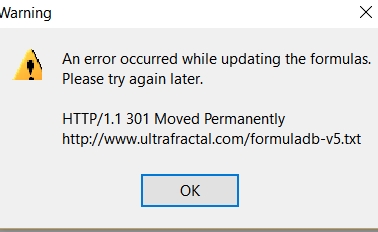
About a month it is not possible to update new formulas in UF 5.
With greetings, Liesbeth Quak
Is there a way to change the default interpolation of an animation key frame from smooth to linear?
Urs
posted Dec 6 '18 at 11:00 pm
Pausing computation: Provided I'm not missing any existing functionality, is there anybody else who would welcome a pausing feature for 'normal' computations, i.e. outside "Render to Disk"? Sometimes when I was too greedy with open windows, I'd like to be able to prioritise which image actually gets completed first, or I keep a window open for some reason whose computation I'm not currently inter
Hi, I rarely use this merge method and I think it's not working the same in rendering as in display mode. This happens in the latest version of UF 5 and 6.
Thank to check out this. I'm losing some very nice parts of my composition.
Etienne
jam
posted Dec 5 '18 at 12:50 am
For some days, neither of my UF5 or UF6 could access the formula database for updates. Now I notice that my UF6 again updates properly when I select that option, but my UF5 still annot connect. Can this be corrected?
JVYV
posted Dec 4 '18 at 9:19 am
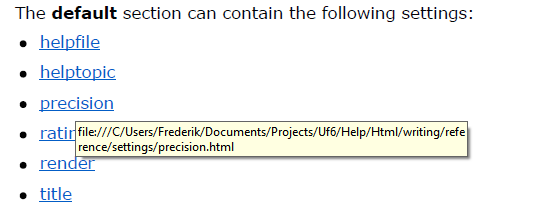
On several pages of the UF6 manual (uf6-manual.pdf) near the end of the manual, there are overviews of settings to be used in de formula editor of UF. Hearby an example on page 265.
When I put the cursor of my mouse upon it to see the link and the explication of it, I see a link that probably comes from the computer of Frederik himself. Of course, I cann't read that help files and should
Urs
posted Nov 24 '18 at 11:43 pm
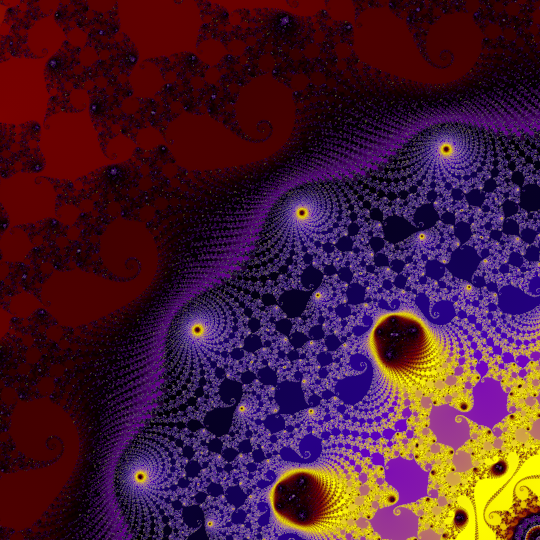
Hi, I'm attaching two renderings of the same location, (A) using anti-aliasing (3×3, depth 2, threshold 0.1), and (B) by simply taking a high resolution (just under 4×4 the target resolution) and downsampling the result. Variant B not only finished in less than a third the time, but also resulted in a picture with far fewer bright solitary pixels, which were the reason why I saw a str
JVYV
posted Nov 29 '18 at 11:39 am
Hi All,
The November 2018 collection of the parameter files (only one but a very beautiful one) of is sent to the cloud..
You can find them at the cloud of Microsoft:
https://onedrive.live.com/redir?resid=2AB35EAF574CA6CE!1034&authkey=!ALIZio6ZmgV1aAo&ithint=folder%2ctxt
Greetings from Belgium,
Jan Vyvey
Greetings,
For those who don't know me, I am an Ultrafractal user of its first hour. I am the mde.* among the formulas.
Just to say that my website, www.pruniermei.ca, will be closed at the beginning of december. So, if you have some links to it, you'd be better to change it. I will move what I want to keep on Blogspot at this adress: https://pruniermei.blogspot.com/, so you can make the
JVYV
posted Oct 30 '18 at 3:45 pm
Hi All,
The October 2018 collection of the parameter files of is sent to the cloud..
Please read the readme.txt file.
You can find them at the cloud of Microsoft:
https://onedrive.live.com/redir?resid=2AB35EAF574CA6CE!1034&authkey=!ALIZio6ZmgV1aAo&ithint=folder%2ctxt
Greetings from Belgium,
Jan Vyvey
For those who like their gnarl the old fashioned way I've uploaded a fractal formula version of Dynamical Systems. Find it in mt.ufm. There are far fewer parameters than the coloring algorithm. For info on that see here...
https://www.ultrafractal.com/forum/index.php?u=/topic/566/new-dynamical-systems-coloring-algorithm
I've also added four new dynamical systems functions to mt.ulb. Three
Here are some belated examples and a few tips...
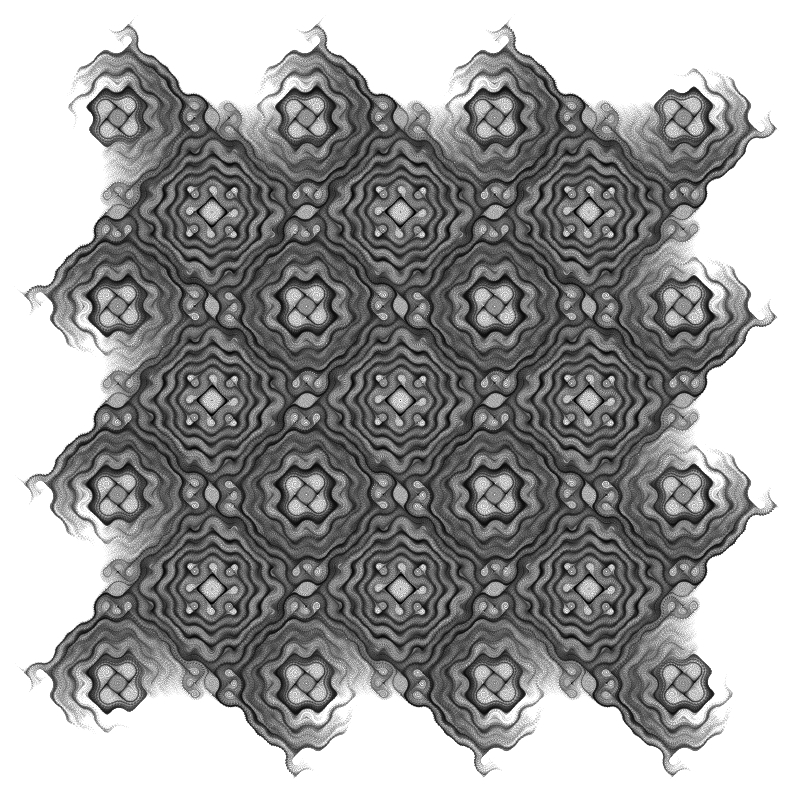
The first example is a good starting point for exploration. Note that the Drawing Method on the Formula tab is set to One-pass Linear and that Repeat Gradient on the Outside tab is un-checked. The gradient is greyscale. You can try other types of gradients but the results will vary.
20181013aDynamicalSystemsExample#1 {
fractal:
title="201